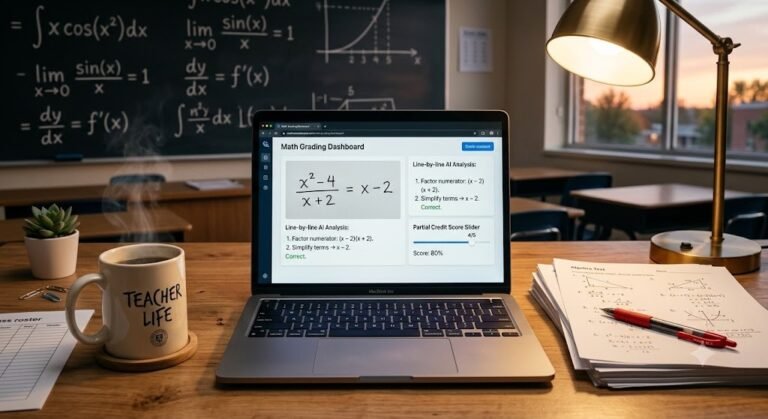
The way we study has changed completely. We are way past basic chatbots giving simple answers to homework questions. Today, smart AI tools can act as personal tutors, compressing hours of reading and organizing into just a few minutes.
Thank you for reading this post, don't forget to subscribe!But staying ahead means knowing exactly which tools are worth your time—and how to handle school AI detectors that sometimes flag honest work by mistake. Let’s break down how to study faster and protect your grades.
The Best Smart Tools for Academic Research
Throwing generic prompts like “summarize this” into a public chatbot usually gives you shallow results. If you want to speed up your learning, you need specific tools built to handle complex study materials.
- Scholar AI: This tool links up directly with peer-reviewed databases. Instead of guessing or making things up, it pulls real abstracts and citations from actual published academic journals.
- ChatPDF: When a professor drops a heavy, 50-page paper on you, upload it here. You can ask direct questions about data tables or grab the core summary without scrolling through endless pages.
- Gamma App: For group presentations, Gamma takes your messy, unorganized notes and turns them into a clean, well-designed slide deck in seconds.
How to Use NotebookLM for Exam Prep
Google’s NotebookLM is easily one of the best tools out there for students right now. Unlike standard AI apps that pull answers from the random internet, NotebookLM only looks at the specific files you give it. This completely stops the tool from generating fake information.
Here is the best step-by-step workflow to turn your course material into an automatic study guide:
1.Build Your Subject Center:Step 1.
Create a new notebook for your class—like “Organic Chemistry Finals.” Upload your personal lecture notes, the professor’s slides, and the textbook chapters.
2.Run an Interactive Quiz:Step 2.
Use the Studio tools to generate a practice quiz built solely from your uploads. Use the built-in hint options to find out exactly where your memory is slipping.
3.Generate a Custom Study Guide:Step 3.
Tell NotebookLM to build a master study sheet. It will automatically connect related ideas, define tough terms, and map out difficult theories across all your files.
4.Listen on the Go:Step 4.
Turn your notes into an “Audio Overview.” The app builds a highly realistic podcast where two AI hosts talk through your study material. Listen to it while walking to class or working out.
The Truth About AI Detection and False Flags
With schools leaning heavily on academic integrity software, a lot of students feel stressed about automated flags. Even if you only use AI to fix your grammar or map out an outline, modern checkers can easily misread your paper.
Why Turnitin Flags Human Writing
AI detectors do not actually understand your ideas. They look at math and patterns, specifically checking for two things:
- Perplexity: This tracks how predictable your words are. AI picks the most mathematically expected next word, which leaves a distinct pattern.
- Burstiness: This looks at sentence variety. AI writes very uniform sentences that match in length and rhythm. Humans naturally mix short, punchy statements with longer, descriptive thoughts.
If you write in a highly structured academic style, or if English is your second language, your natural writing might feature low perplexity and flat sentence lengths. This is exactly why detectors often trigger a false positive flag on entirely original essays written by real students.
The Reality of Paraphrasing Tools
Many people use secondary tools to smooth out their drafts, but detectors keep getting smarter. Current versions of Turnitin can flag Quillbot paraphrasing and other word spinners by tracking structural patterns and repetitive phrasing.
If you ever get accused of using AI wrongly, your best defense is your version history in Google Docs or Microsoft Word. Showing your professor the step-by-step timeline of how you typed and edited your paper is the absolute best proof of your own hard work.
Fast Checklist for Students
- Use Scholar AI and ChatPDF to quickly digest heavy research data.
- Let NotebookLM automatically build your quizzes, study sheets, and custom podcasts.
- Vary your sentence lengths when writing, and always keep your document history turned on to stay safe from flawed AI flags.
4. Q&A Section
Can Turnitin detect if I use NotebookLM?
Yes, if you copy and paste text directly from NotebookLM into your assignment, AI detectors will likely flag it. Use NotebookLM purely to study, outline, and understand the concepts, but write your actual assignments entirely in your own words.
How do I fix a false AI accusation from my teacher?
Do not panic. Pull up the version history of your document in Google Docs or Word. Show your teacher the exact timestamps of your writing process, your rough drafts, and how your ideas grew over time. It is impossible for an AI copy-paste to mimic that step-by-step history.
Is Turnitin accurate when flagging Quillbot?
Turnitin has updated its systems to catch text that has been run through paraphrasing tools like Quillbot. It looks for specific structural habits and token patterns left behind by rewriting software, so relying on spinners to pass detection is highly risky.